General Ledger
The General Ledger report displays a summary of GL accounts. Exporting the report enables users to download and view a summary or detailed version of the report in Excel.
Perform the following steps to generate the report:
Navigate to Reports ➜ All Reports ➜ General Ledger (under Accounting).
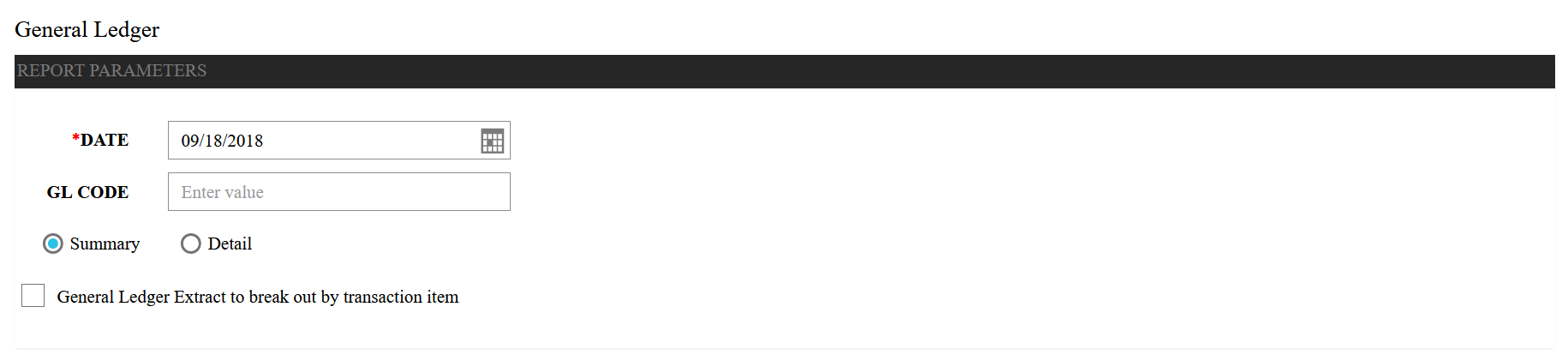
Select a date from the calendar to generate dates for the report.
Enter a specific GL Code field to include in the report.
Select the Summary radio button to include a summary of the GL Codes in the report. Or select the Detail radio button to include a detailed description of the GL Codes in the report.
Select the General Ledger Extract to break out by transaction item checkbox to generate the report w
Click Generate. The report with the selected date appears.
Click Print to send a copy of the report to the printer.
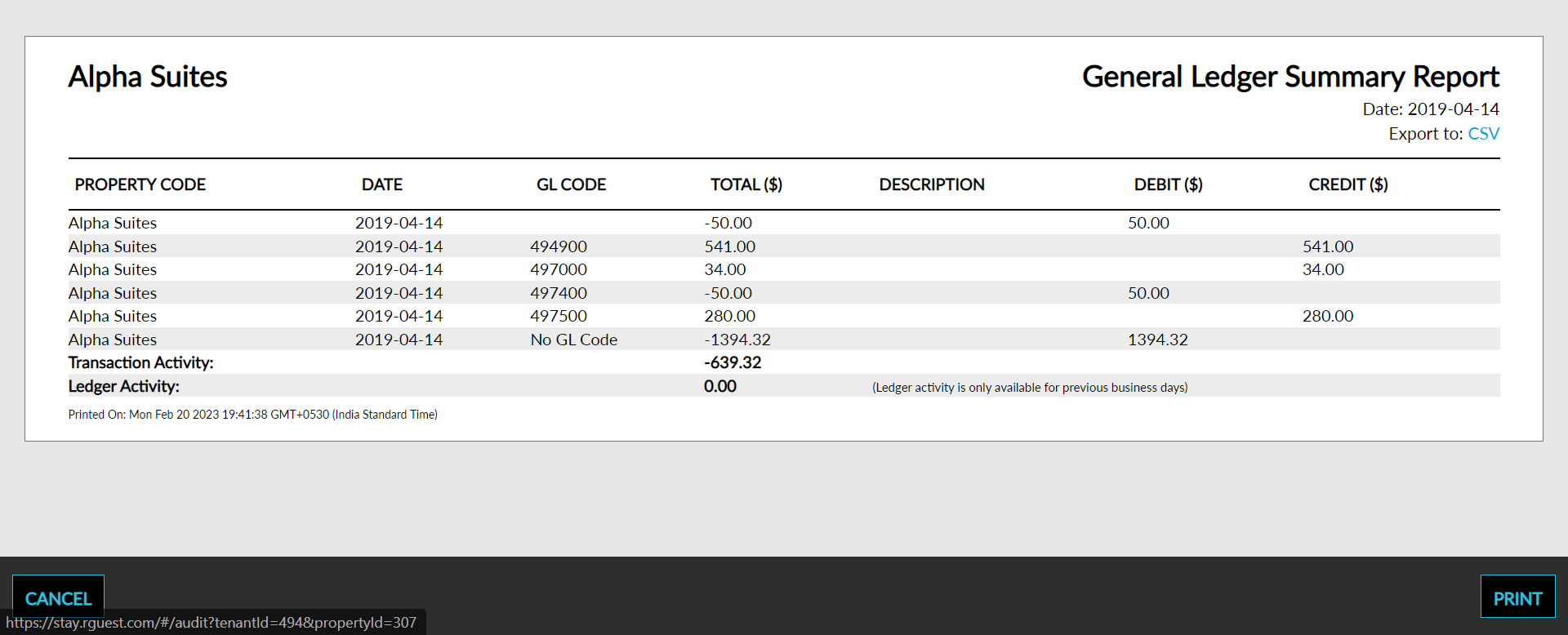
Sample Report
Report Parameters
This report displays the following parameters:
|
Field |
Description |
|---|---|
|
Property Code |
The property code. |
|
Date |
The date of the ledger activity. |
|
GL Code |
The GL account code. |
|
Total |
The total amount in the GL account. |
|
Description |
The description of each general ledger account. |
|
Debit |
The amount debited from the GL account. |
|
Credit |
The amount credited from the GL account. |